


🌐 Language: 🇻🇳 Tiếng Việt · 🇬🇧 English (current)
🛒 S-Cart
composer create-project gp247/s-cart my-shop "^3.0"
Free, open-source e-commerce platform — built on the GP247 ecosystem & Laravel


🏠 Homepage · 🚀 Demo · 📚 Documentation · 🤖 AI agent skills · 💬 Facebook group
Introduction
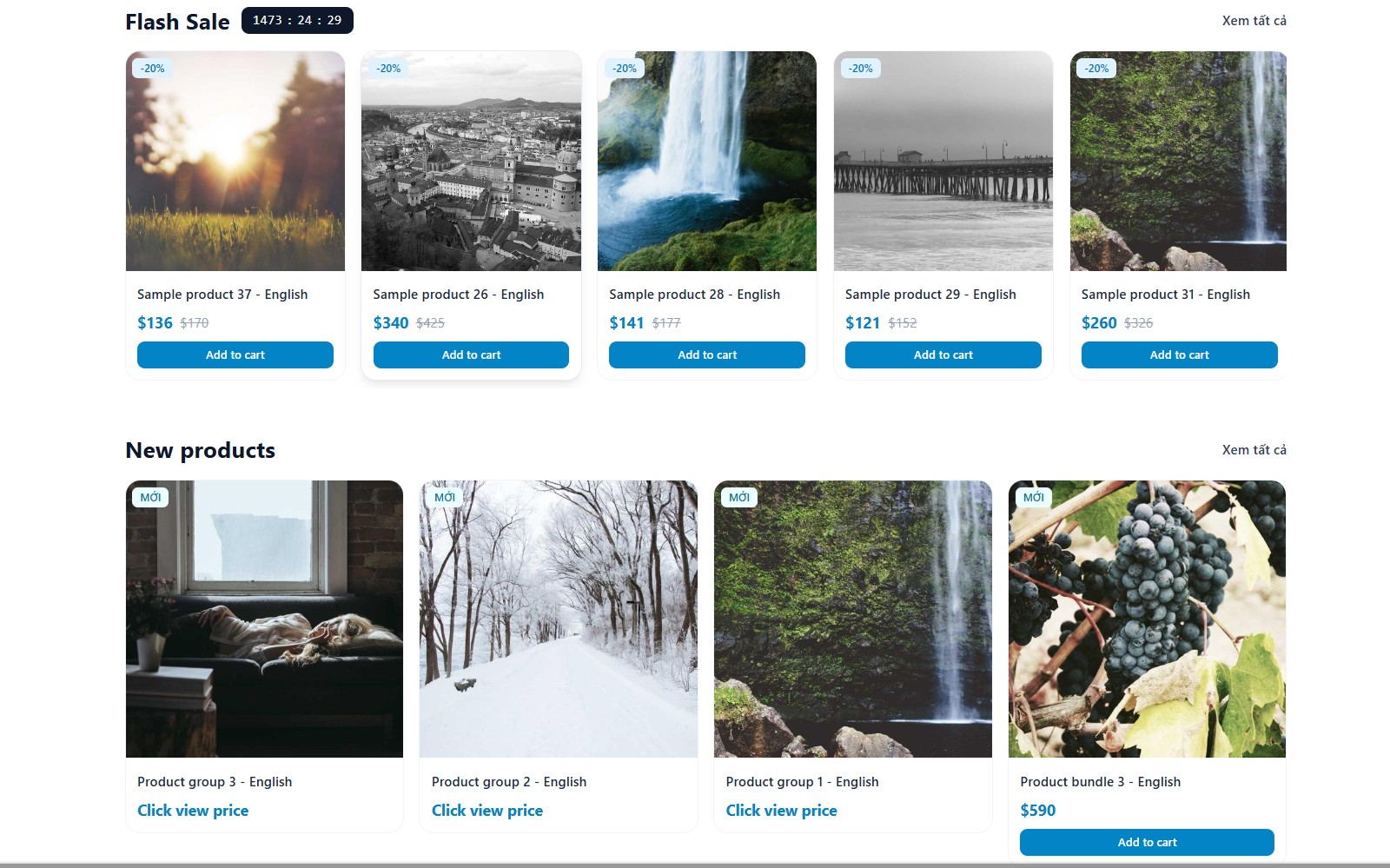
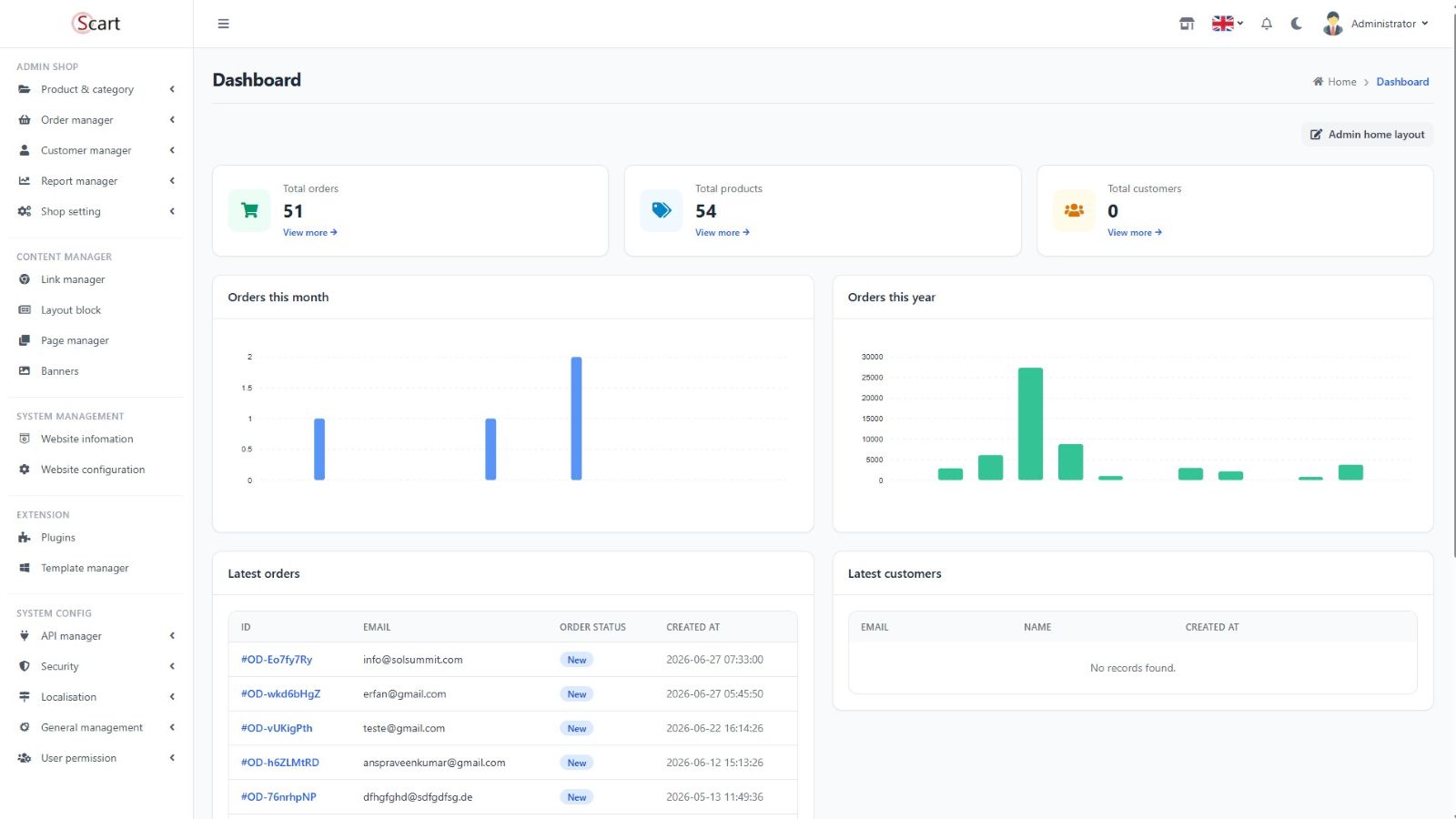
S-Cart is free, open-source online-store software for businesses, individual sellers, developers and students. You get a complete online shop (products, cart, orders, customers, news) plus an admin panel, and you can extend it with plugins and templates. After reading this page you will be able to install S-Cart on your machine or server, and know how to update and customize it.
S-Cart 3.x tech stack: PHP ≥ 8.3 · Laravel 13 · GP247 · Tailwind CSS 4 · MySQL / MariaDB
✨ What's in S-Cart
| Area | Features |
|---|---|
| 🛍️ Commerce | Products, cart, orders, customers |
| 🌏 International | Multi-language, multi-currency |
| 📰 Content (CMS) | Categories, news, content pages |
| 💳 Payment & shipping | Payment plugins, shipping methods, discount codes, tax calculation |
| 🔐 Admin & security | Role-based permissions (admin, manager, marketing…), activity log, CAPTCHA |
| 📊 Business tools | Order processing, customer management, analytics & reports |
| 🧩 Extensibility | HMVC plugins, online plugin/template marketplace, secured API for mobile apps |
| ⭐ Pro plugins | Multi-vendor (marketplace with many sellers) · Multi-store (several stores) · InOut (purchases, returns, cash flow & debts) |
🧰 Requirements
| Component | Requirement |
|---|---|
| PHP | 8.3 or newer |
| Composer | Version 2.x |
| Database | MySQL or MariaDB — create an empty database first |
| Writable folders | storage · bootstrap/cache · app/GP247 · public/GP247 · public/vendor · resources/views/vendor · vendor |
💡 With Docker you don't need PHP, Composer or MySQL on your machine — see Option 3.
🚀 Installation
Pick one of three options:
| Option | Best when |
|---|---|
| 1. Composer ⭐ | Installing on hosting, a VPS, or a machine with Laragon/XAMPP — recommended |
| 2. Git clone | You want the latest source from GitHub to develop or contribute |
| 3. Docker | You don't want to install PHP/MySQL on your machine |
Option 1 — Composer (recommended)
-
Open a Terminal (on Windows: "Command Prompt" or the Laragon terminal) and check which PHP Composer runs on:
composer diagnoseThe
PHP versionline must be 8.3 or newer.⚠️ On an older PHP, Composer does not fail — it silently installs a very old S-Cart 1.x. Always keep
"^3.0"in the step 2 command so Composer fails loudly instead of installing the wrong version. -
Create the project (replace
my-shopwith the folder name you want):composer create-project gp247/s-cart my-shop "^3.0" cd my-shop -
Open the
.envfile in the project folder and set the database section to match the database you created:DB_HOST=127.0.0.1 DB_PORT=3306 DB_DATABASE=your_database DB_USERNAME=your_username DB_PASSWORD=your_passwordThe default
DB_HOST=mysql-localis for Docker only — for a direct install change it to127.0.0.1. -
Install S-Cart:
php artisan gp247:installThe command asks for confirmation — type
yes. When it finishes, the screen shows the admin path and login. -
(Optional) Add sample data to try it out:
php artisan gp247:shop-sample -
Open your browser:
Page Address Login Storefront http://your-domain— Admin http://your-domain/gp247_adminadmin/admin🔑 Change the
adminpassword right after your first login.
Option 2 — Git clone
git clone https://github.com/gp247net/s-cart.git
cd s-cart
cp .env.example .env
composer install
Then continue with steps 3 → 6 of Option 1 (edit .env, run gp247:install, open the browser).
Option 3 — Docker
There are two separate compose files — always use the right one for the environment:
| File | Environment |
|---|---|
docker-compose.yml |
dev — your local machine |
docker-compose.prod.yml |
prod — a real server |
Local machine (dev):
git clone https://github.com/gp247net/s-cart.git
cd s-cart
cp .env.example .env
docker compose up -d --build
docker compose exec app php artisan key:generate
docker compose exec app php artisan gp247:install
docker compose exec app php artisan gp247:shop-sample   # optional
Open the site at http://localhost:8000.
Real server (prod):
git clone https://github.com/gp247net/s-cart.git
cd s-cart
cp .env.example .env
# Edit .env: APP_ENV=production, APP_DEBUG=false, DB_*, SC_DOCKER_WWWUSER/SC_DOCKER_WWWGROUP — see DOCKER.md
docker compose -f docker-compose.prod.yml up -d --build
docker compose -f docker-compose.prod.yml exec app php artisan key:generate
docker compose -f docker-compose.prod.yml exec app php artisan gp247:install
docker compose -f docker-compose.prod.yml run --rm node   # build CSS/JS
⚠️ On prod always add
-f docker-compose.prod.yml. Forgetting it runs the dev config by mistake (debug on, running as root, Xdebug installed…).
📘 Step-by-step guide and Docker troubleshooting: DOCKER.md.
🔄 Updating
-
Back up the database and the
app/GP247,public/GP247folders before updating. -
Download the new code:
composer update gp247/core gp247/front gp247/shop -
Apply the changes to the site (safe: deletes no data, does not overwrite translations or templates you edited):
php artisan gp247:update -
Check the result:
php artisan gp247:info
⚠️ Running
composer updatealone is not enough — always run step 3 too.
Advanced options (overwrite translations with --overwrite-lang, refresh assets/views with --publish=…) can overwrite your customizations — read the GP247 update guide carefully before using them.
🎨 Customization & extension
| You want to… | How |
|---|---|
| Create a new plugin | php artisan gp247:make-plugin --name=PluginName |
| Create a new template | php artisan gp247:make-template --name=TemplateName |
| Package a zip for distribution | Add --download=1 to either command above |
| Edit one screen of the default template | php artisan gp247:template-publish GP247Front --file=screen/home.blade.php, then edit the file in app/GP247/Templates/GP247Front/ |
| Customize the admin UI | php artisan vendor:publish --tag=gp247:core-view (core) · --tag=gp247:front-admin (front) · --tag=gp247:shop-view-admin (shop) |
| Change the file-upload config (lfm) | php artisan vendor:publish --tag=config-lfm |
Override a gp247_* helper |
List the function names in config/gp247_functions_except.php, then write the new functions in app/GP247/Helpers/*.php |
| Override a controller | See below |
| Add routes to the admin area | Use the GP247_ADMIN_PREFIX and GP247_ADMIN_MIDDLEWARE constants — see the core routes.php |
💡 The default
GP247Fronttemplate is loaded directly from the package, so files you have not published pick up new versions automatically when you update. Publish only the files you need to edit.
Override a controller
Works for every controller (API included) in GP247/Core, GP247/Front, GP247/Shop:
-
Create a file with the same sub-path and name under
app/GP247/{Core|Front|Shop}/.... -
Make the new class
extendsthe original controller invendor/gp247/.... -
Prepend
App\to the original namespace, keeping the rest as-is:Original namespace New namespace GP247\Core\ControllersApp\GP247\Core\ControllersGP247\Core\Api\ControllersApp\GP247\Core\Api\ControllersGP247\Front\.../GP247\Shop\...App\GP247\Front\.../App\GP247\Shop\...
📘 Detailed docs: Create a plugin · Create a template · Full CLI reference
📂 Folder structure
(+) = folder created and managed by GP247.
my-shop/
├── app/GP247/
│   ├── Core(+)        ← Core controller overrides
│   ├── Front(+)       ← Front controller overrides
│   ├── Shop(+)        ← Shop controller overrides
│   ├── Helpers(+)     ← *.php files here are auto-loaded
│   ├── Plugins(+)     ← plugins (gp247:make-plugin)
│   └── Templates(+)   ← templates (gp247:make-template) + template files published for editing
├── public/GP247/
│   ├── Core(+)        ← admin CSS/JS
│   ├── Plugins(+)
│   └── Templates(+)
├── resources/views/vendor/
│   ├── gp247-admin(+)        ← published Core admin views
│   ├── gp247-front-admin(+)  ← published Front admin views
│   └── gp247-shop-admin(+)   ← published Shop admin views
└── vendor/gp247/
    ├── core           ← core: admin, permissions, configuration
    ├── front          ← storefront, CMS
    └── shop           ← products, cart, orders
🔧 Common environment variables
Set these in the .env file:
| Variable | Default | Meaning |
|---|---|---|
GP247_ADMIN_PREFIX |
gp247_admin |
Admin path, e.g. your-domain.com/gp247_admin |
GP247_API_MODE |
1 |
Enable (1) / disable (0) the API |
GP247_DB_PREFIX |
gp247_ |
Table name prefix — ⚠️ cannot be changed after install |
GP247_ADMIN_LOG |
1 |
Log admin access |
GP247_SEO_LANG |
0 |
Add the language code to storefront URLs (/en/..., /vi/...) |
GP247_ENCRYPTION_KEY |
(empty) | Dedicated key for encrypting SMTP passwords, licenses… — see the notes in .env.example |
❓ Q&A
Q1: Composer finished but then reported Access denied for user 'root' — what happened?
→ Composer ran on a PHP older than 8.3 and installed S-Cart 1.x by mistake. Delete the new folder, switch Composer to PHP 8.3+ (check with composer diagnose), then install again with "^3.0".
Q2: Where is the admin panel and how do I log in?
→ http://your-domain/gp247_admin, user admin / password admin. Change the password right away.
Q3: How do I see which version I'm running?
→ Run php artisan gp247:info.
Q4: The site is broken or won't install — what should I check first?
→ Run php artisan gp247:doctor — it checks the environment (PHP, folder write permissions, configuration…) and points out what to fix. Also check the writable folders listed under Requirements.
Q5: Will updating lose my data or my changes?
→ php artisan gp247:update deletes no data and keeps the translations and templates you edited. Only the --overwrite-lang and --publish=… options can overwrite them — back up before using them.
Q6: I edited the default template — will an update wipe my changes?
→ No, as long as you publish only the files you edit with gp247:template-publish GP247Front --file=.... Your edited files are kept; the rest pick up new versions from the package.
Q7: How do I change the admin path?
→ Set GP247_ADMIN_PREFIX in .env (e.g. backoffice). Don't use the name of an existing folder in public/ (such as vendor or GP247), otherwise the page returns a 403 error.
Q8: Can I change the table prefix (GP247_DB_PREFIX) after installing?
→ No. Choose it before running gp247:install.
Q9: I don't use a mobile app — should I disable the API?
→ You can. Set GP247_API_MODE=0 in .env.
Q10: Where can I ask for more help?
→ Read the GP247 documentation, ask DeepWiki, or post in the S-Cart Facebook group.
📅 Last updated: 2026-09-29 · ✍️ Author: GP247